
How It Works
Renting and riding a Bublr bike is easy!
BCycle App Info
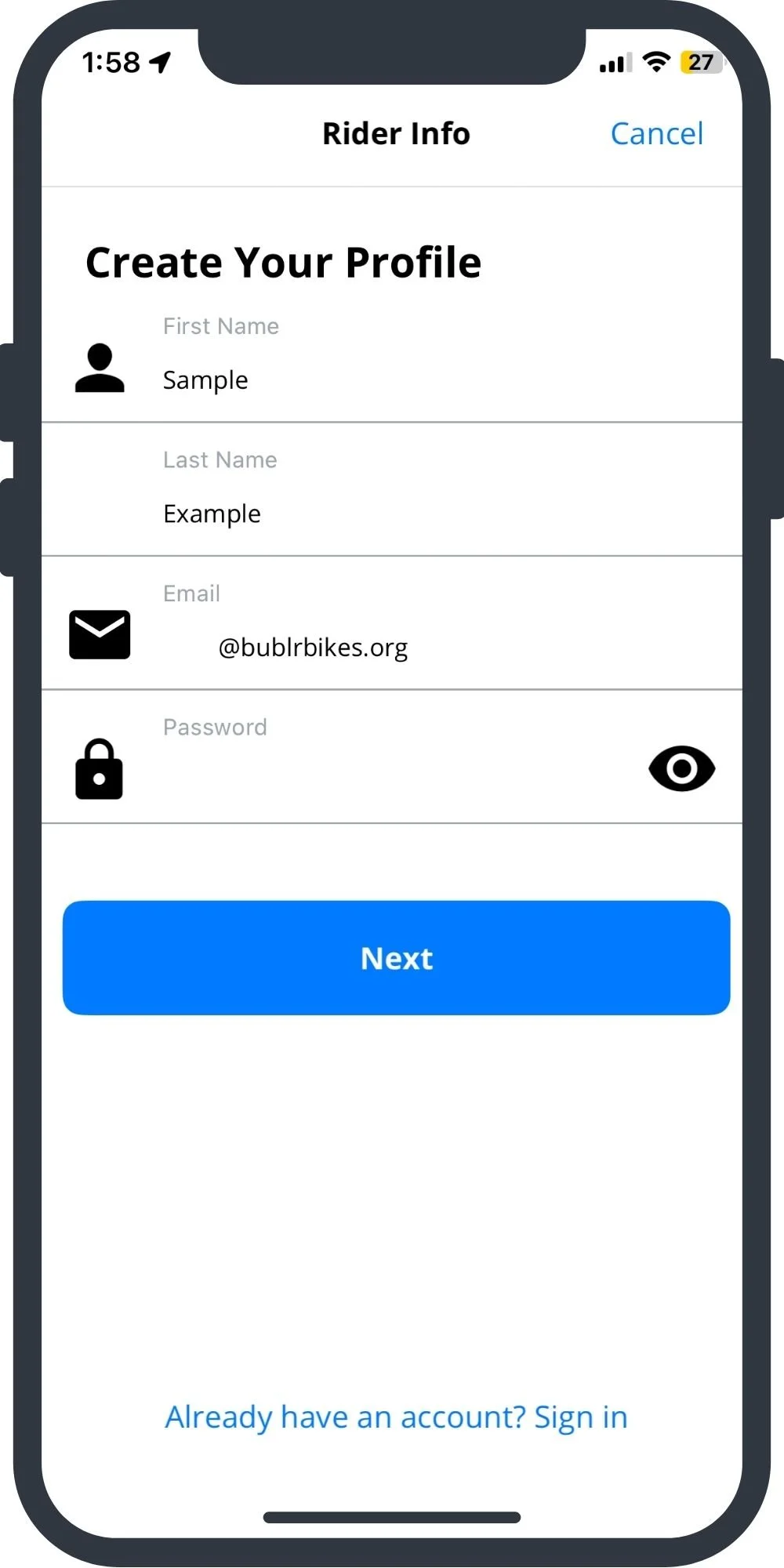
Create your account
To create an account, you will need a smartphone, email address, and phone number. To ride Bublr, you will need a debit or credit card.
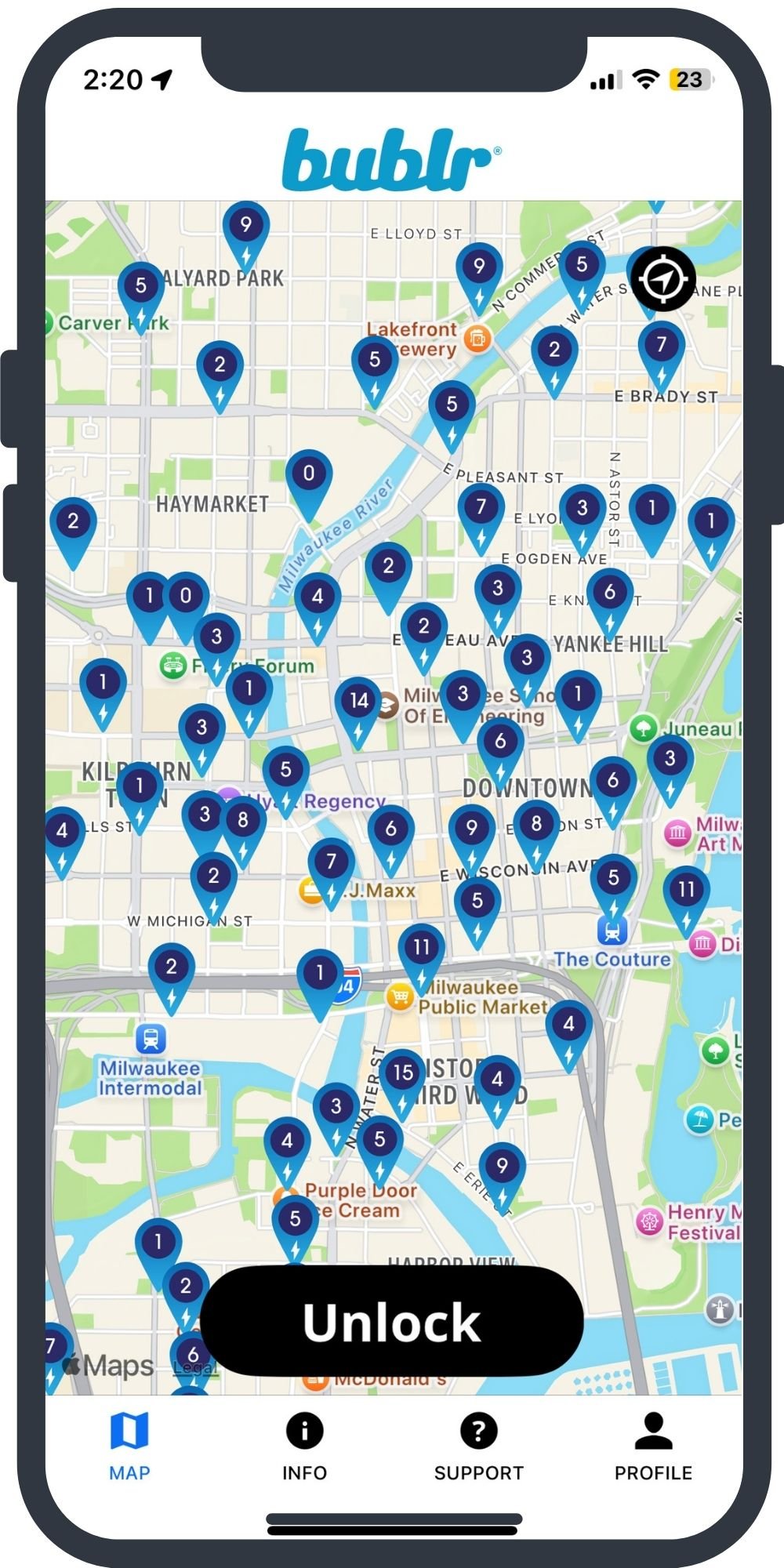
Find a Rental Station
The icons on the map show location, number of standard and e-bikes, and number of open docks. You can choose between a standard pedal bike or an electric-assist bike.
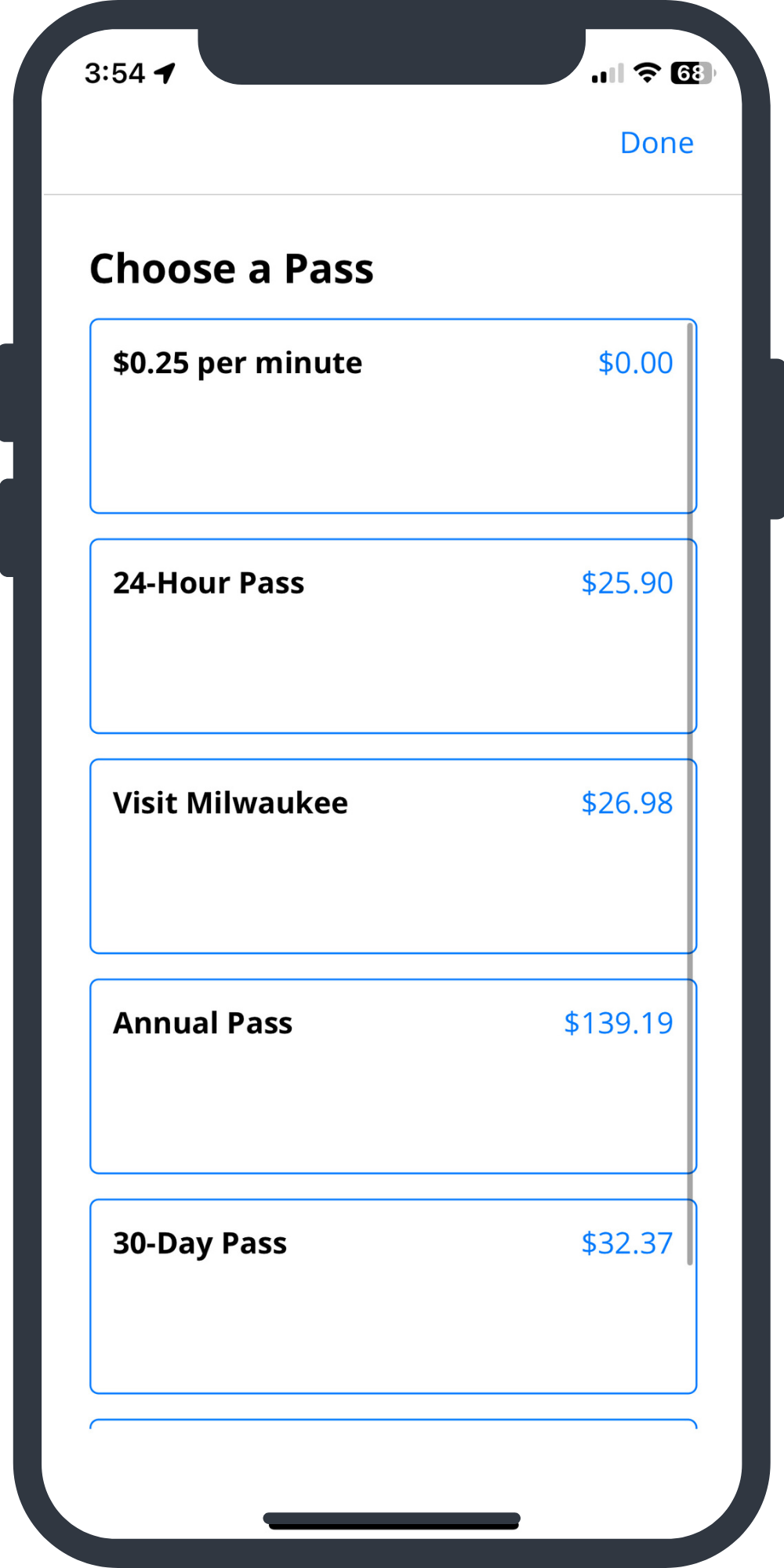
Choose a pass type
In the app, select what pass type you would like to use. You can rent by the minute, or buy an annual, monthly, 3-day, or 24-hour pass.
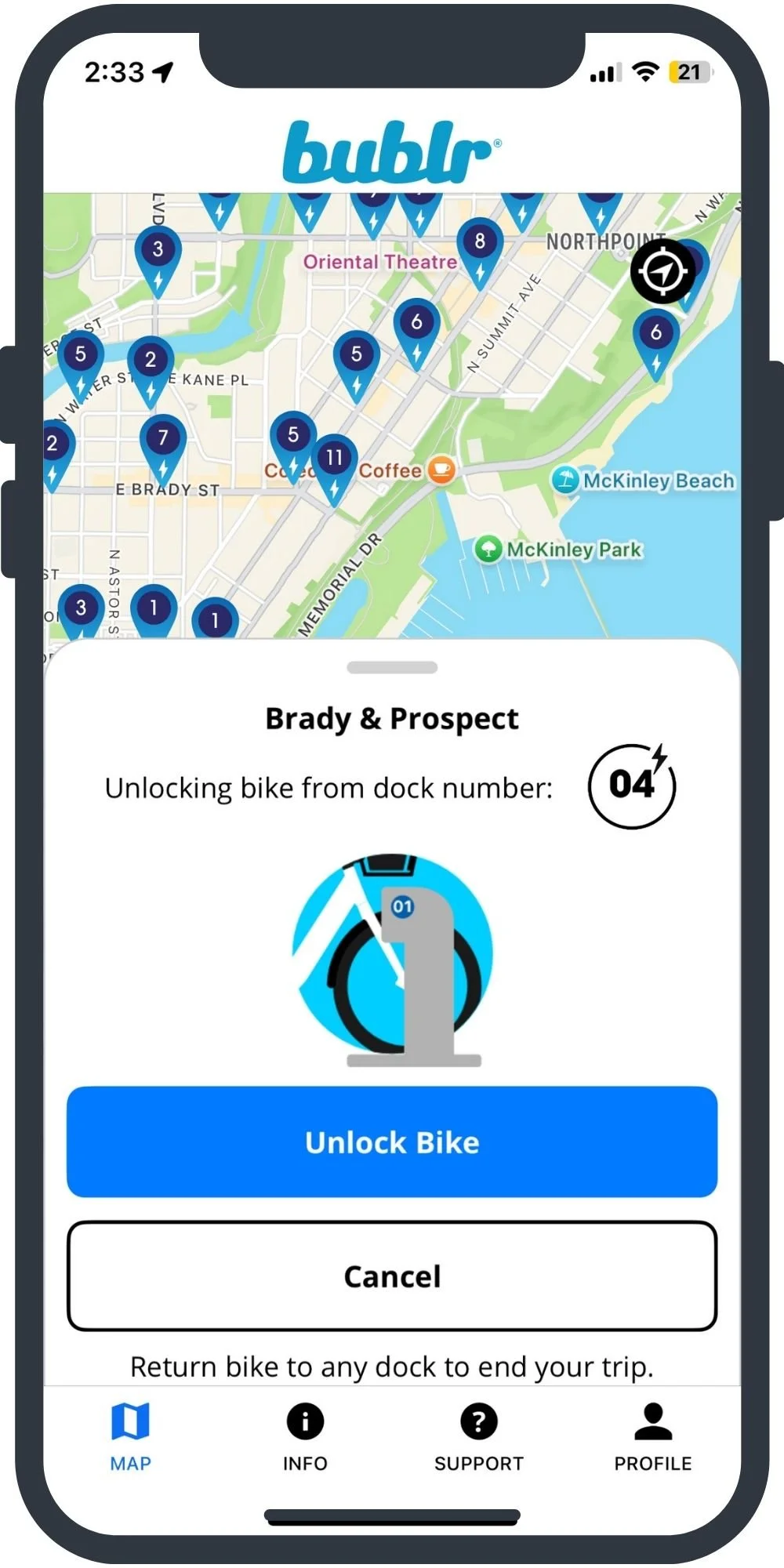
Check out the bike
When you get to the station, choose the bike you want. Check the bike for air in the tires, firm brakes, and battery charge level. “Wake up” the dock by pressing on the metal circle. Then, tap the dock number within the app, and wait until the bike releases. Take the bike out and you’re on your way.
Return the bike
Bublr is a docked system, meaning you must return the bike to a station shown in the app. You will be charged for abandoning the bicycle if you do not properly return it. Use the app to find a station with an open dock near your destination. Push the bike into the dock firmly, and shake the handlebars to ensure the bike does not come loose. Listen for the beeps that come from the dock that confirm the bike was finished. You may even want to take a photo of the bike as evidence you returned it, should any errors or malfunctions occur.
Bike Info & Safety
If you’re still a bit rusty or this is your first time riding and need more tips on safe cycling, check out Wisconsin Bike Fed's Bicycle Safety Tips!
Inspect your Bike.
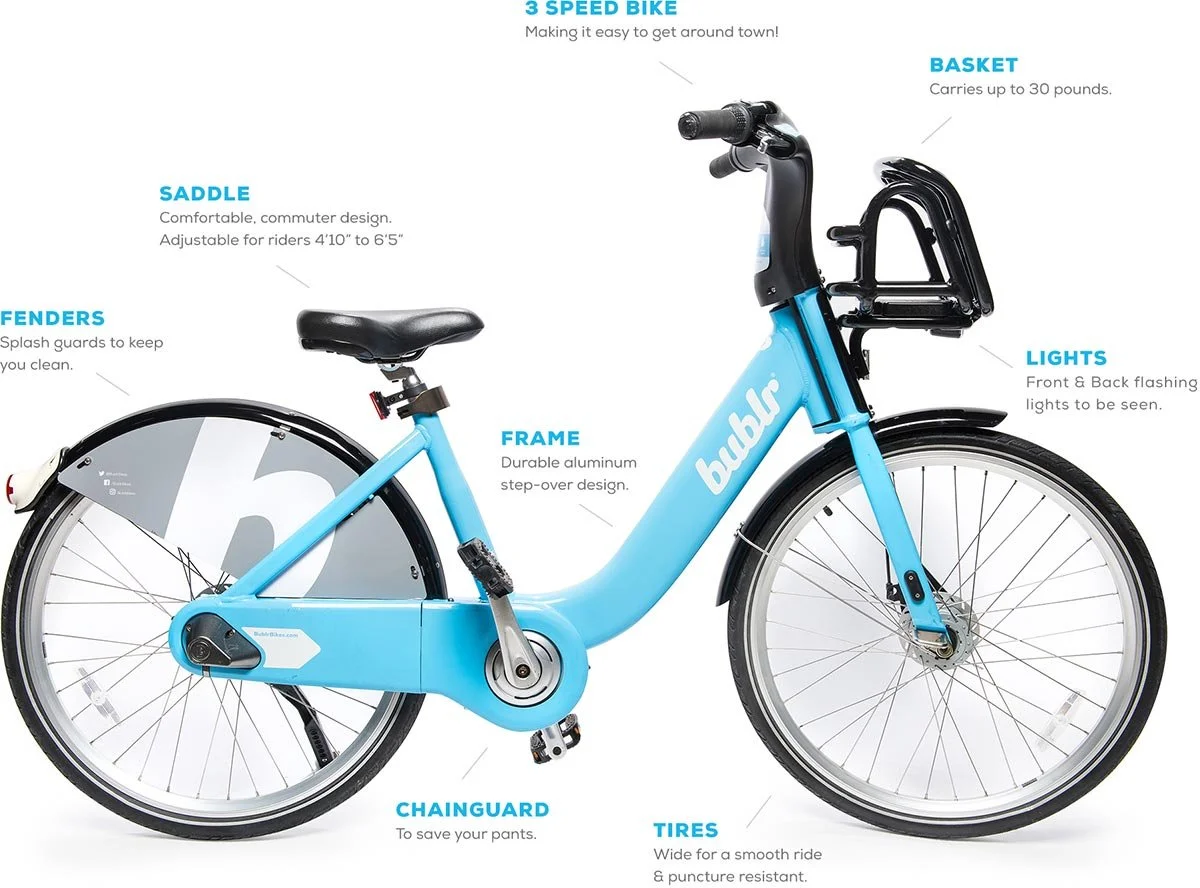
Always make sure your Bublr Bike is safe to ride before you ride. Make sure to check for air in the tires, firm brakes, battery charge, and front/rear lights before riding. If you have any issues simply re-dock your Bublr and give us a call at 414-931-1121.
Wear a Helmet.
While it is not the law to wear a helmet, it could prevent a serious brain injury.
Use Hand Signals.
Left Turns: stick your left arm straight out.
Right Turns: extend your right arm straight out, or raise your left arm and bend it upward at the elbow.
To Stop: Hold your left hand by your side pointing toward the ground.
Ride in the Road.
Sidewalk riding is OK if there are designated signs that indicate that the walkway is also a bike way. Otherwise, it is illegal to ride a bicycle on the sidewalk in Milwaukee. Riding on the sidewalk creates confusion and chaos for both pedestrians and drivers.
Be Predictable & Visible.
Bicycles are considered legal vehicles of the road in Wisconsin and Milwaukee. Therefore, you must observe local traffic laws at all times.
Wear Bright Clothing.
You have a better chance staying safe if you are seen. You want to make your presence known.
Be Aware.
Be aware of what is going on around you. Watch the road for hazards (broken glass, potholes, railroad tracks). Watch side streets, driveways, alleys and parked cars for traffic that may enter the street in front of you or turn across your path.
E-Bike Info & Safety
Using Bublr E-bikes:
Find Bublr E-bikes with the BCycle app or on the station map.
E-bikes will have a lightning bolt symbol in the app and on the station map.
Before you remove an e-bike from the dock, use the display on the left handlebar to check the battery level.
Each E-bike has a power button on the left-hand side of the handlebar.
Make sure that you press that power button before taking off.
They have a top assist speed of 15 mph, and can be used without the electric assist feature.
E-bikes have hyper-glide drum brakes which offer more power, more control and more precision.
Be sure to use both the front and rear brakes at the same time, and allow enough time to come to a full stop.
Find pricing for e-bikes on the Pass Rates page!
Riding Tips:
Adjust your saddle height.
Bike Check: Make sure the tires aren’t flat, the brakes work, and the chain is in place.
Power up your E-bike: Use the button on top of the display to turn assist on and check the battery level.
Power assist only works when you pedal. It gives you a boost as you pedal, so you feel like the wind is always at your back.
To conserve battery for hills, etc. you can turn the assistance off when you don’t need/want it.
If your battery runs out, the bike can still ride like a standard bike.
Braking: E-bikes can travel faster, and so they have more powerful brakes. Be sure to use both the front & rear brakes at the same time, and allow plenty of time to come to a full stop.
Ride Safely. Wear a helmet, and remember to follow the rules of the road.
Feel free to Contact Us with any questions!